

Roles & permissions (RBAC)
The five system roles, the permission vocabulary, scopes, custom roles and MFA-required roles.
On this page
Access is granted by assigning roles to users, optionally scoped to a team, zone, or server. A role is a named bundle of permissions; the effective permission set is the union of a user's assignments that apply in context.
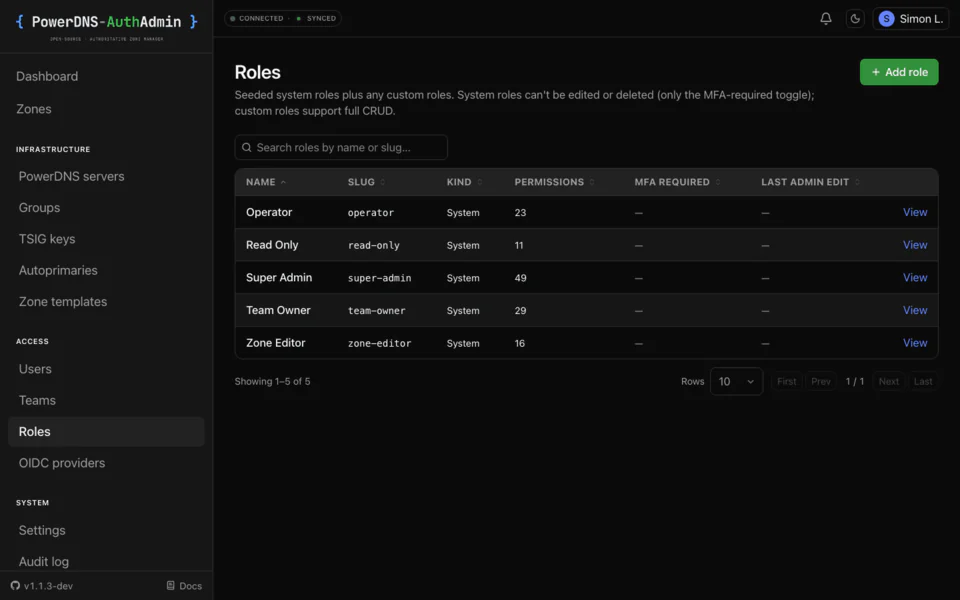
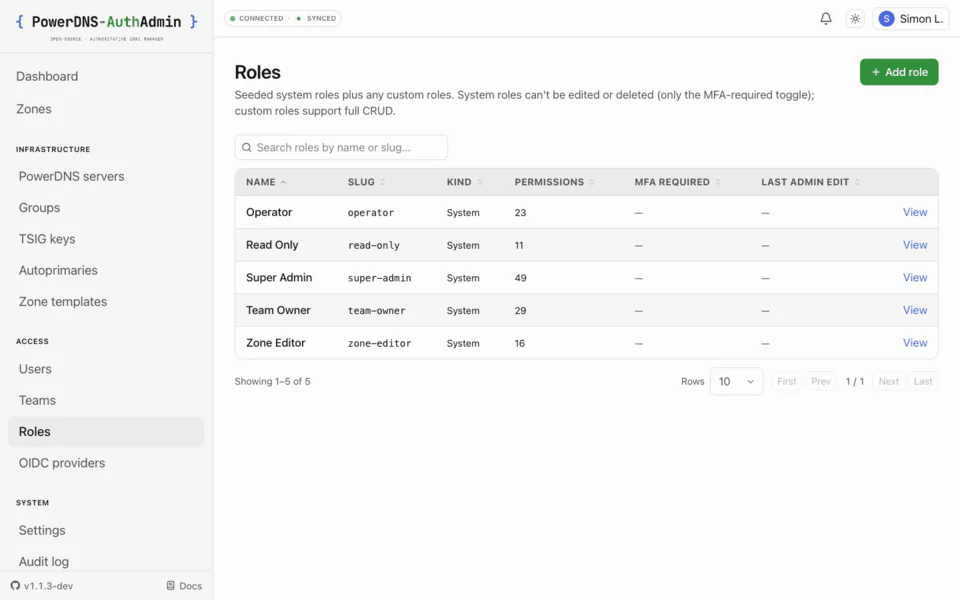
The five system roles#
Seeded on first boot and protected from deletion. Each builds on the previous -
the description shown here is the one seeded into the roles.description
column, surfaced verbatim on the Roles list and detail pages.
| Role | Seeded description | Permissions, in addition to the role above… |
|---|---|---|
| Read Only | View access to assigned zones. No changes. Useful for auditors and observers. | View zones, records, DNSSEC, metadata, teams, users, roles, servers, settings; use templates; manage own API tokens (read). |
| Zone Editor | Edit records on assigned zones. Cannot create or delete zones, change the SOA, or repoint the apex NS. | Create/update/delete records; create/delete own API tokens. |
| Operator | Day-to-day zone and record administration within a team. No DNSSEC or member management. | Update the SOA + apex NS; create/update/delete/import/export zones; write metadata; manage templates. |
| Team Owner | Full control of a team's zones and members. Cannot manage other teams or app-wide settings. | Configure DNSSEC; manage TSIG + autoprimaries; update team + manage members. |
| Super Admin | Full access to everything: users, roles, servers, settings, audit. | Everything: users, roles, teams, servers, settings, audit, OIDC, all API tokens. |
The seed asserts Super Admin contains every permission, so a new permission added
to the codebase is always held by Super Admin. The seeded descriptions are owned
by lib/rbac/default-roles.ts; edits there apply on next boot via upsertRole.
Custom roles carry an optional free-text description too - set it on the create or edit form. It's shown verbatim on the Roles list and detail pages and surfaces naturally as "what does this role do?" context for newer operators.
Permission vocabulary#
Custom roles are built from these. Names are stable strings (resource.action):
| Group | Permissions |
|---|---|
| Zones | zone.read zone.create zone.update zone.delete zone.export zone.import zone.settings.read |
| Records | record.read record.create record.update record.delete record.update.apex-ns |
| SOA | soa.read (see the SOA tab) · soa.update (edit it) |
| DNSSEC | dnssec.read dnssec.configure |
| Metadata | metadata.read metadata.write |
| TSIG | tsig.read (list) · tsig.manage (create/regenerate/reveal) |
| Autoprimary | autoprimary.manage |
| Templates | template.use template.manage |
| Users | user.read user.create user.update user.delete user.disable user.reset-password |
| Teams | team.read team.create team.update team.delete team.manage-members |
| Roles | role.read role.create role.update role.delete role.assign |
| Servers | server.read server.create server.update server.delete |
| API tokens | token.read.own token.create.own token.delete.own token.read.all token.delete.all |
| Audit & settings | audit.read settings.read settings.write |
| Auth providers | auth.read auth.manage (OIDC, SAML, LDAP) |
| System | system.backup |
Splitting record editing from a zone's authority#
Three surfaces decide whether a zone works at all, and each answers to its own
permission rather than riding along with record.update. This is what lets you
hand someone their zone's records without handing them the zone.
| Surface | Read | Write |
|---|---|---|
| SOA tab - primary NS, responsible mailbox, refresh/retry/expire | soa.read | soa.update |
| Apex NS records - the zone's delegation | record.read | record.* plus record.update.apex-ns |
| Zone settings tab - kind, masters, SOA-EDIT(-API), API-RECTIFY | zone.settings.read | zone.update |
Notes worth knowing:
- Tabs disappear, they don't grey out. Without
soa.readthere is no SOA tab; withoutzone.settings.readthere is no Zone settings tab, and a direct?tab=soa/?tab=settingslink falls back to Records. (A user holdingzone.deletestill gets the settings tab, because the Danger Zone lives there - the settings panel itself stays hidden.) soa.updatereplaces the record permission, it doesn't add to it. The SOA is its own resource:soa.updatealone is enough to edit it, and no amount ofrecord.*substitutes for it.record.update.apex-nsworks the other way - it is an extra requirement layered on top of the matchingrecord.create/record.update/record.delete.- NS below the apex is an ordinary record. A child delegation
(
sub.example.com. NS) is content this zone serves, sorecord.*covers it. Only the apex NS is protected. - The gate is server-side. Every write lands on the same RRset route
whichever panel sent it, and the route classifies each change by its
normalized name - a hand-rolled
PATCHgets the same answer the UI does. - These work as per-zone grants too, so you can allow
soa.updateon one customer's zone without granting it fleet-wide.
ADR-0023 records why the SOA is modelled as its own resource while the apex NS stays a record with an extra cost, and what was rejected on the way there.
A self-service role for a hosting customer therefore looks like:
permissions: [zone.read, record.read, record.create, record.update, record.delete, dnssec.read]Records: yes. SOA, apex NS, zone settings: not shown, not writable.
Scopes#
A role assignment can apply everywhere or be narrowed:
| Scope | Applies to |
|---|---|
global | The whole app. |
team:<slug> | Resources owned by the named team. |
zone:<zone-name> | A single zone (canonical FQDN with trailing dot, e.g. corp.example.). |
server:<slug> | Every zone on one backend. |
Example: assign Zone Editor scoped to zone:corp.example. and the user can
edit records in that one zone and nothing else.
List pages follow the same rule. A Team Owner scoped to team:<slug> can open
Admin → Teams, but the list only shows the teams their assignments cover.
Creating a team still takes a global team.create, because a new team has no
scope to match yet.
Assigning roles#
- Admin UI - assign roles to a user (with a scope) under Admin → Users; manage role definitions under Admin → Roles.
- OIDC / SAML / LDAP group mapping - map an IdP group to a role + scope so membership is driven by your directory. All three provider types run the same group sync, and the result is recomputed on every sign-in (granted when in the group, gone when not). See OIDC, SAML, LDAP.
Admin-issued assignments and IdP-derived permissions are tracked separately - the group sync never touches an assignment an admin made by hand.
Custom roles#
Add org-specific roles in the UI (Admin → Roles) or in the roles:
provisioning block. A custom role is just a slug, a name, and
a list of permissions from the vocabulary above. They can be used anywhere a
system role can, including IdP group mappings.
roles:
  - slug: zone-noc
    name: NOC Zone Operator
    requires_mfa: true
    permissions: [zone.read, record.create, record.update, record.delete, audit.read]
MFA-required roles#
A role can be marked requires_mfa. A user holding such a role must enrol a
second factor - TOTP or a passkey / security key
(WebAuthn) - before they can act; they're redirected to enrol
until they do. SSO-only users (no local password) are exempt: their IdP is the
second-factor authority, so enforce MFA there. See
OIDC → MFA and SSO users.